






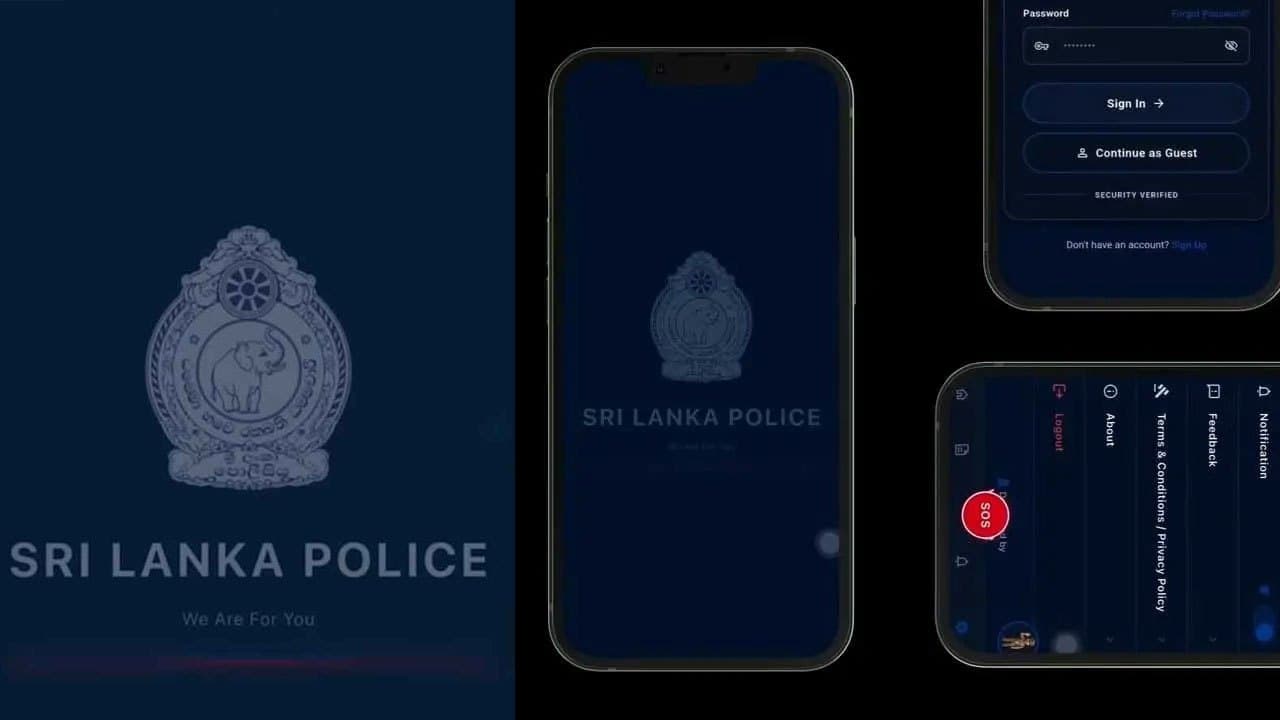


Sri Lanka Police says it has taken steps to introduce a new mobile app to enable the public to promptly notify the police in the event of an emergency.
Police Media Spokesperson, Assistant Superintendent of Police (ASP) F.U. Wootler said that any Sri Lankan citizen possessing a National Identity Card (NIC) can register for the mobile app, which is currently available on the Google Play Store under the name “Sri Lanka Police”.
He said the app features an ‘SOS’ button and when pressed continuously for 10 seconds during an emergency, the user’s location details will be transmitted to the nearest police station.
In addition to contacting the police via the ‘119’ emergency hotline, the public can also use the mobile app to provide information to the police promptly, Wootler said.
He added that the app can also be used to notify the police if a child is facing an emergency or is in distress, enabling the police to respond promptly.
The police spokesman said that users can download and register on the "Sri Lanka Police" App via the Play Store, and that anyone who holds an NIC are eligible to register.
He further stressed that the app should not be misused, noting that legal action was taken against more than 91 individuals in 2025 for misusing the 119 emergency hotline.
Sri Lanka Police says that at present, the SOS service is being implemented as a pilot project in the Colombo District.
As providing the location is mandatory when activating the SOS function, the public is urged not to use the SOS button for testing, as a prank, or to report a false emergency.
How to use the SOS feature:
01 — Download the Sri Lanka Police App
Download and install the “Sri Lanka Police” App from the Google Play Store.
02 — Open the App
Open the app and go to the Home Screen. You will find the red SOS button at the bottom centre, alongside services such as Police News, Emergency Hotline, Station Finder, and E-Services.
03 — Select “SOS” in an Emergency
In an emergency, select the red SOS button when you or someone nearby requires immediate police assistance.
04 — Follow the On-Screen Instructions
After selecting SOS, carefully read the instructions displayed by the app and complete the required steps. If the app requests permissions, such as access to your location, it is advisable to enable them in advance so that the service can function effectively. Location information may be used in accordance with the app’s data-safety information provided on Google Play.
05 — Move to a Safe Location
While making an SOS request, move away from danger and seek a safe location if possible. In a life-threatening situation, always prioritise your personal safety.